

How it works
From chaos to family clarity.
Here's exactly what life looks like with Parendipity.
01 / Inbox decoded
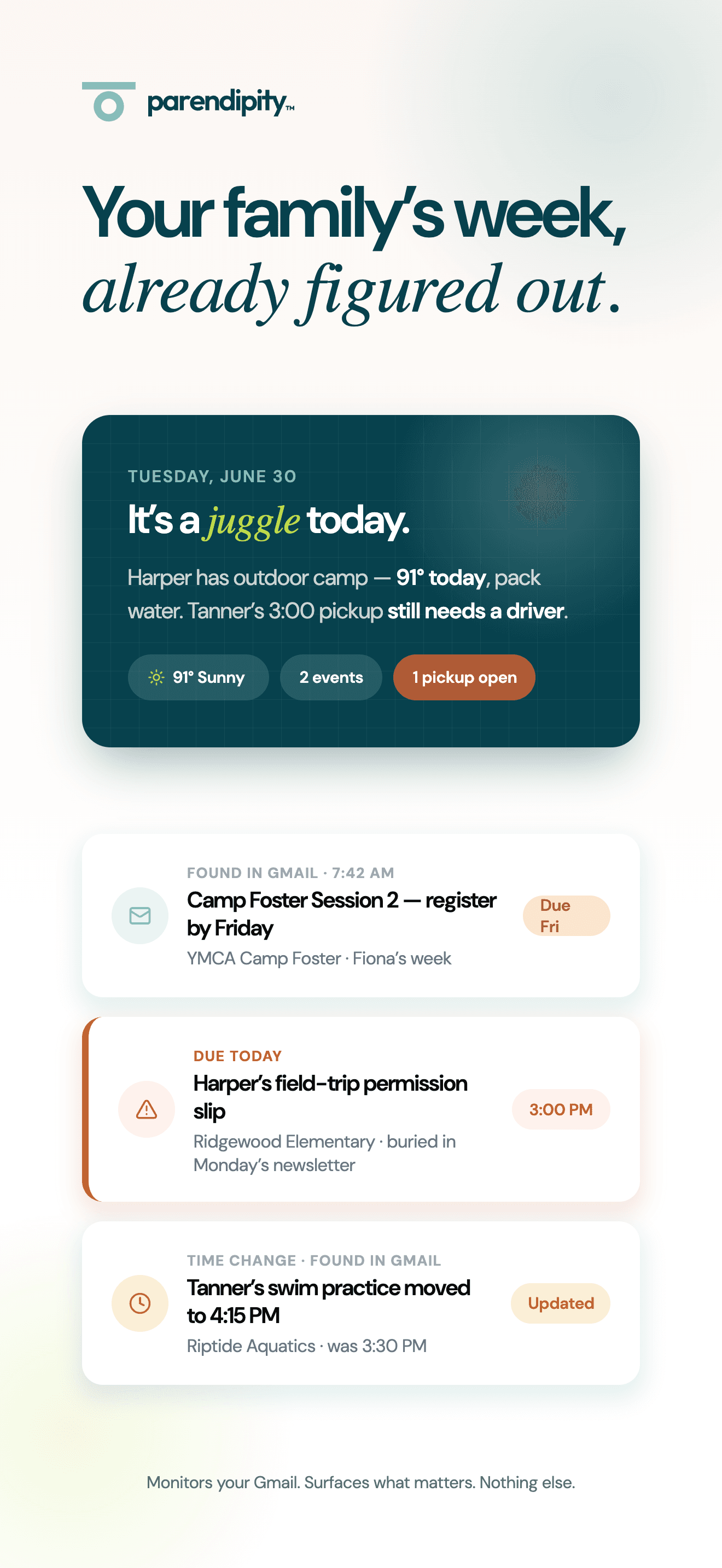
Your family’s week, already figured out.
Connect Gmail once. We monitor schedule-related emails and pull out the dates, deadlines, changes, and details worth acting on.
School newsletters, coach updates, registration notices, and PDFs become one calm view without the Sunday-night inbox search.
02 / One shared view
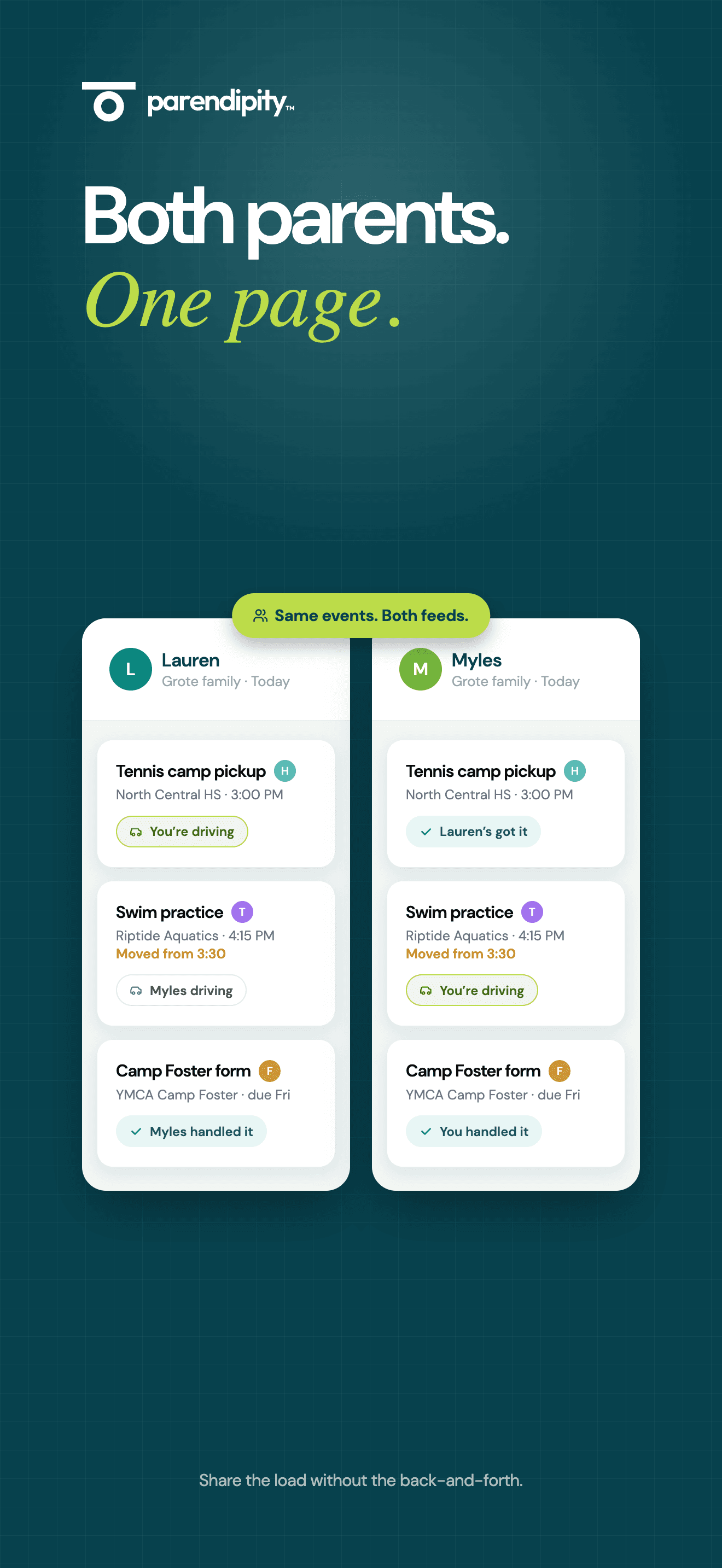
Both parents. One page.
The same events, assignments, and updates show up for everyone. Each parent sees who is driving, what changed, and what is already handled.
No forwarding. No checking whether the other person saw the email. Your family stays aligned without the back-and-forth.
03 / Transport coordination
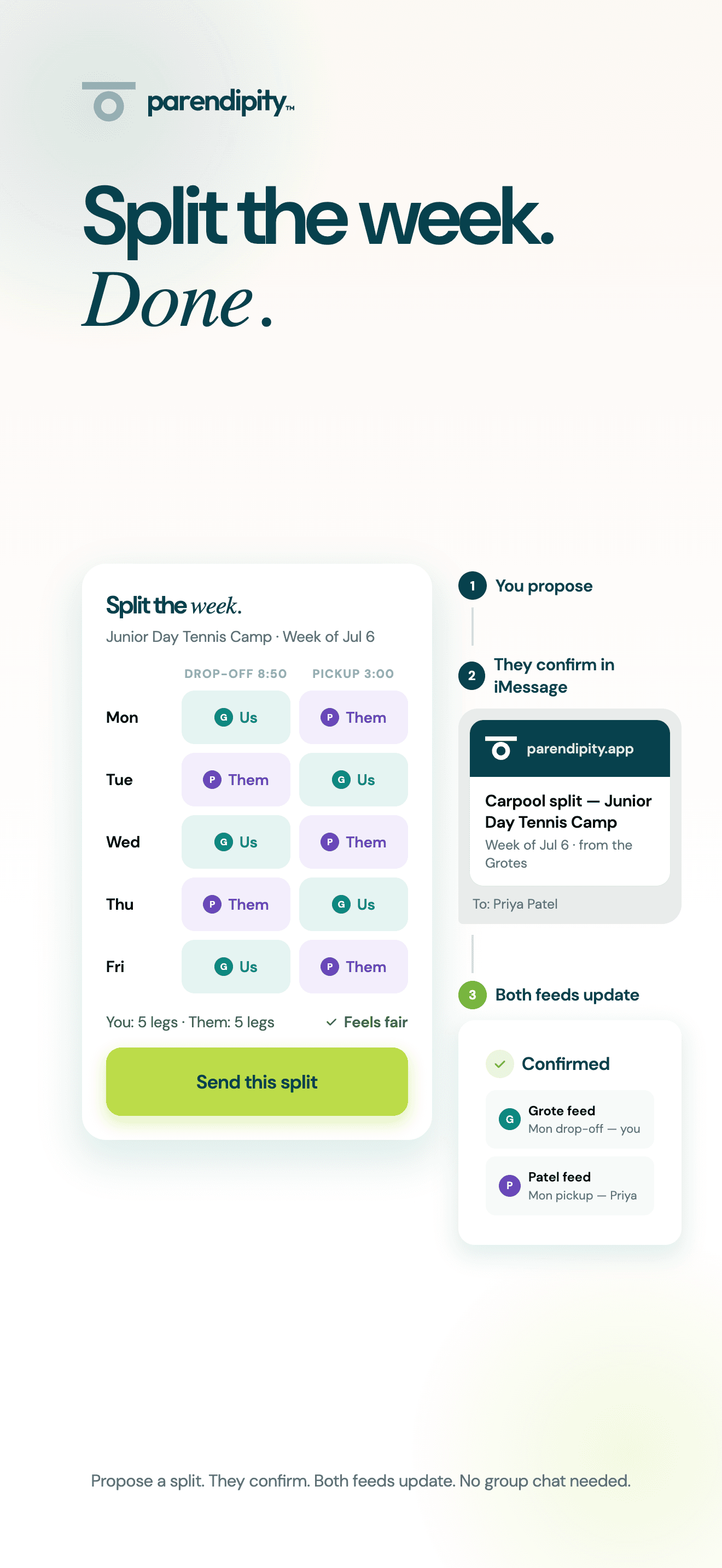
Split the week. Done.
Propose the pickup and drop-off split in seconds. The other family confirms from iMessage, and both feeds update automatically.
Everyone knows their part before the week starts. No spreadsheet. No group chat. No last-minute handoff.
04 / Calendar sync
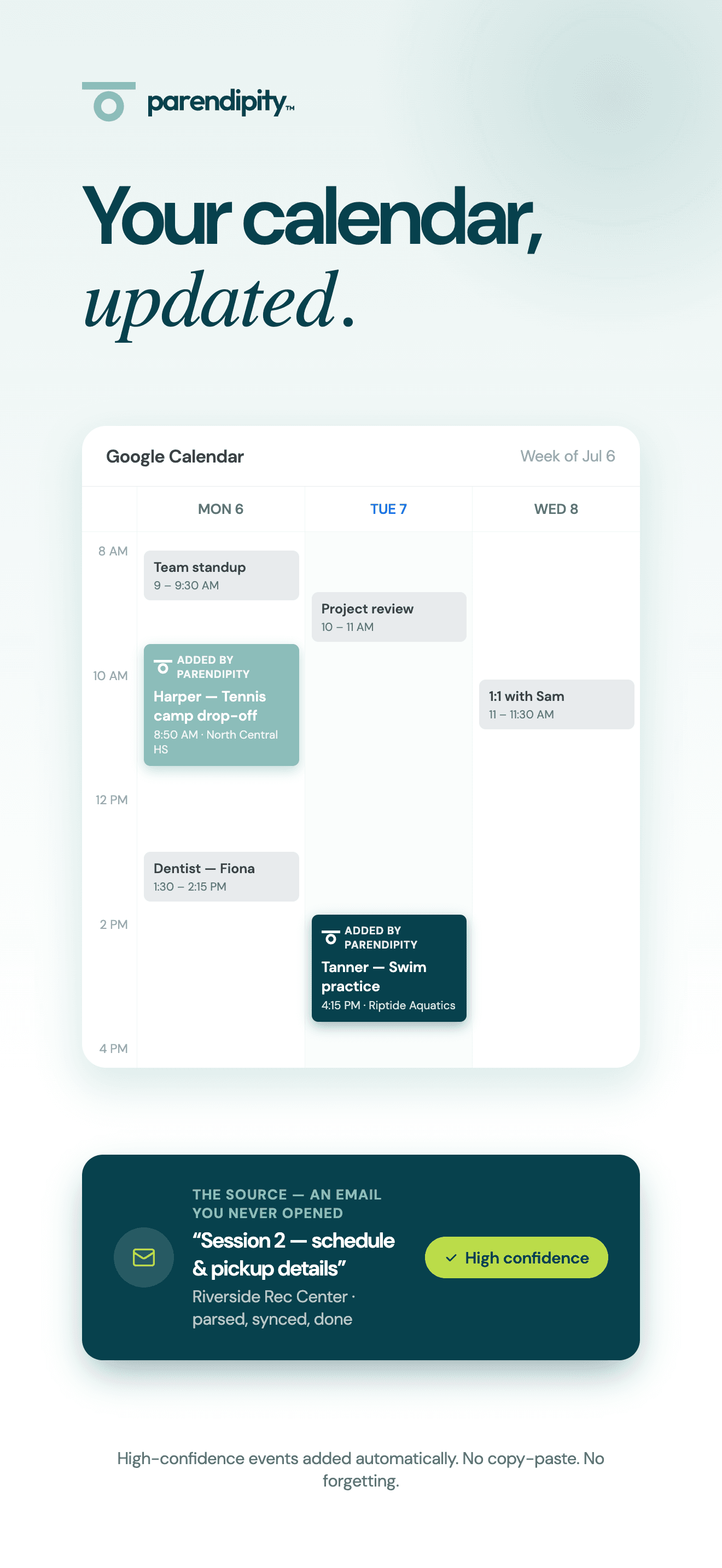
Your calendar, updated.
High-confidence events go straight to Google Calendar with the right time, location, and source. When the email changes, your calendar follows.
You keep using the calendar you already know. Parendipity quietly handles the copying, checking, and updating.
05 / The result
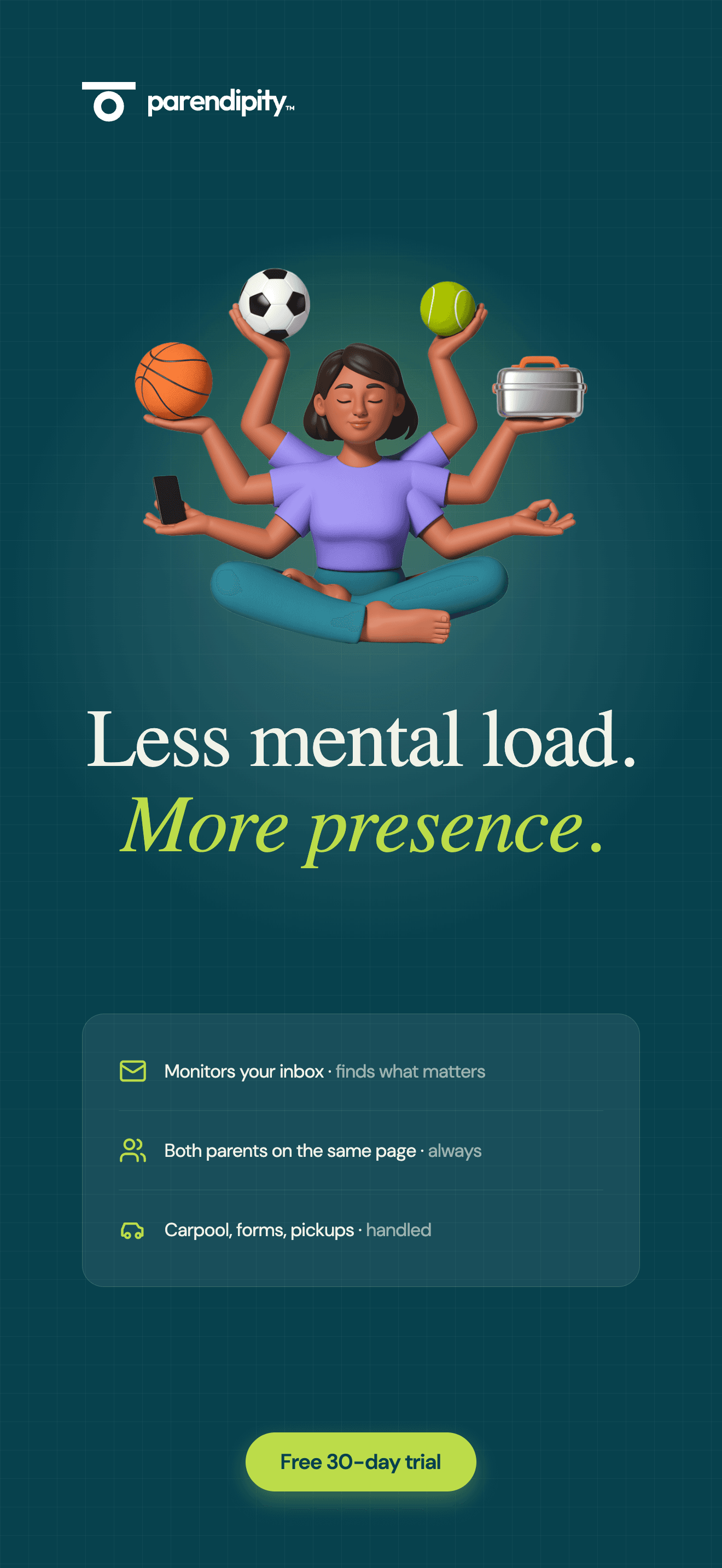
Less mental load. More presence.
This is what it feels like when it’s all working. Less time managing. Less mental load. More presence with your kids. That’s what Parendipity is actually for.
Questions, answered.
How does Parendipity turn email into a family schedule?
Connect Gmail from the iPhone app. Parendipity monitors school and activity emails, extracts events and changes, and separates upcoming events, action items, and FYIs. You can review and edit the details in the app instead of copying each email into a calendar.
Do I have to forward every school email?
No. Gmail monitoring is automatic after you connect your account. Forwarding is available for information you want to add separately. Check important dates and locations in the app, especially when a sender leaves details unclear.
How do Google Calendar and Skylight stay updated?
Choose your Google Calendar sync settings in Parendipity. Synced events appear in Google Calendar, and a Skylight connected to that calendar can display them. Skylight refreshes on its own schedule; Parendipity does not connect directly to the display.
Can both parents see the same plan?
Yes. Parents in the same household share a schedule and can coordinate pickup and dropoff responsibilities. Each parent can connect their own Gmail. A co-parent using Android can view events shared through Google Calendar; the Parendipity mobile app is currently for iPhone.
Can I try it before subscribing?
Yes. Start with a 30-day free trial, with no credit card required. The published price afterward is $7.99 per child per month, capped at $19.99 per family. Check the App Store for the subscription price and terms in your region.